






 Quick Add
Digital Reception
Digital TV Reception Problems and Solutions
Digital TV reception problems are usually caused by poor signal quality, installation faults or local interference. Picture freezing, blocking, pixelation and audio break-up can often be traced back to the aerial, cable, connectors, amplifier, receiver or a nearby source of interference.
Before changing equipment, check whether the problem affects only your property or whether neighbours are seeing the same issue. If several properties are affected, the cause may be external, such as a transmitter fault or local interference.
Common Causes of Digital Reception Problems
If your picture is freezing, blocking or pixelating, or if the sound is breaking up, the cause may be one of the following:
- A transmitter fault in your area.
- Poor signal coverage at your property.
- A fault with the aerial, cable, connectors, amplifier or receiver.
- A television or receiver that needs to be retuned.
- Nearby interference, including TETRA, PMR, 4G or 5G LTE signals.
- Poor-quality or damaged coaxial cable.
- An aerial that has moved due to wind, weather or wildlife.
To check for transmitter faults, visit the BBC reception checker: Check for transmitter faults.
Initial Equipment Checks
Nearly half of reception problems are caused by the television, digital receiver, aerial lead, aerial system or associated cabling. The following checks are a sensible first step.
- Check that mains plugs and power connections are secure.
- Check whether the picture is stable at times when the problem is not present.
- Ask neighbours whether they are experiencing the same reception problem.
- If a new aerial has been installed, retune the television or digital receiver.
- Check that the aerial lead is in good condition and firmly connected.
- Use good-quality screened coaxial cable with copper braid and foil screening where possible.
- Avoid tight bends, kinks and crushed sections in coaxial cable.
- Do not route coaxial cable close to mains cables, thermostats, motors or other electrical equipment.
- Check whether wind or birds have moved the aerial from its correct alignment.
- Confirm that the aerial group is suitable for the local transmitter.
- For communal systems in flats, hotels or estates, contact the landlord, managing agent or nominated contractor.
Check Your Freeview Reception
A Freeview coverage check can help identify the most suitable transmitter, expected signal availability and whether your area is likely to require a particular aerial group.
Check your Freeview reception by entering your postcode and house number below.
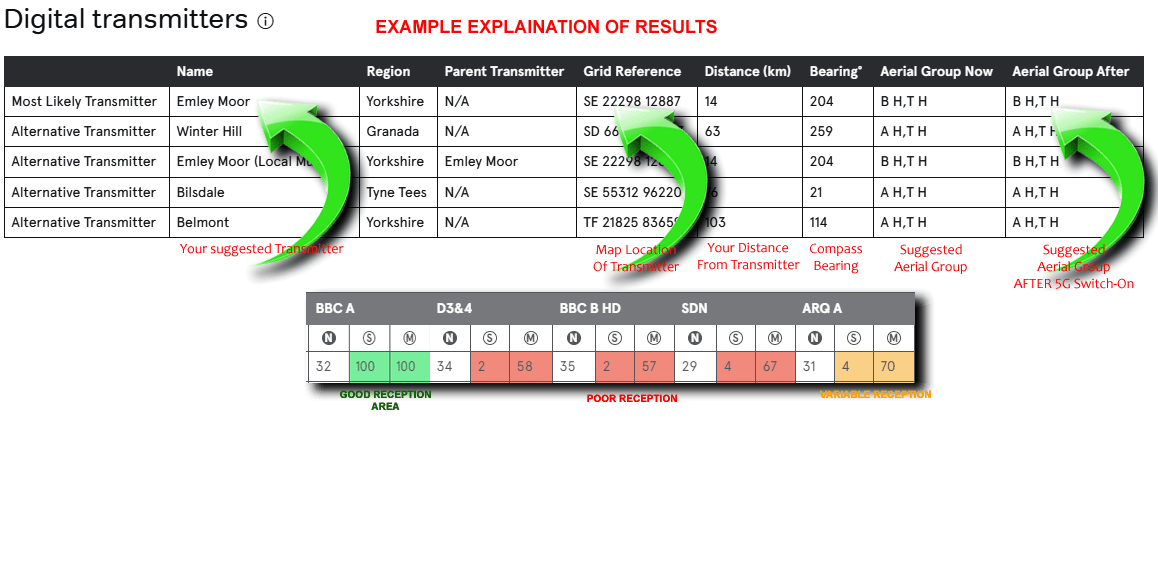
Digital TV Reception Problems
Unlike older analogue reception problems, where the pattern on screen often indicated the cause, digital reception faults usually appear in a similar way. Weak signals and interference can both produce blocking, freezing, pixelation or loss of sound.
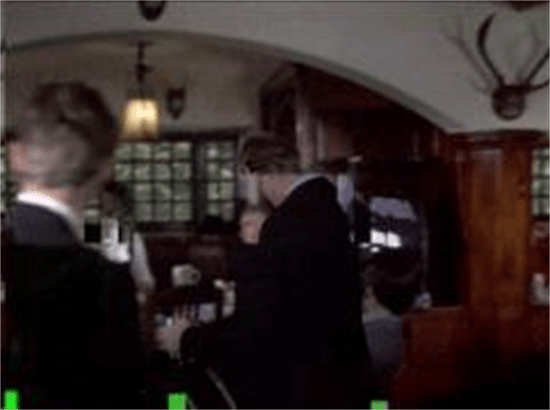
Poor Digital Reception |
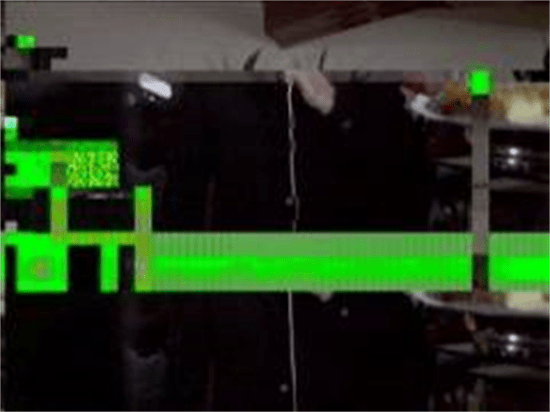
Very Poor Digital Reception |
Essentials for Good Digital Reception
- Use a good-quality benchmarked aerial, or an aerial with an angled reflector and fitted balun.
- Use good-quality double-screened coaxial cable and screened connectors.
- Avoid unnecessary splitting of the signal. Use a suitable distribution amplifier where multiple rooms require service.
- Use masthead amplification where appropriate, rather than relying on setback amplification as the main distribution method.
- Avoid tight bends or kinks in coaxial cable.
- Keep coaxial cable away from mains and other electrical cables.
- Keep cable joints and connection lengths to a minimum.
- Use screened wall plates where wall plates are required.
Weak Signal: What You Can Do
If the picture breaks up constantly or no channels are found, the signal may be too weak. Try the following checks before replacing equipment.
- Ensure the aerial is benchmarked or at least a suitable high-gain type with a balun fitted.
- Check the aerial polarity, horizontal or vertical.
- Confirm that the aerial is aligned to the correct transmitter.
- Check that there are no direct obstructions such as trees, chimneys or water tanks.
- Increase aerial height where necessary to avoid obstructions.
- If loft mounting is unsuccessful, consider an external installation.
- Check all cable connections and fly leads.
- Ensure the aerial is the correct group for the transmitter, for example A, B, C/D, K, T or wideband.
- If signal remains weak after checking the installation, consider a higher-gain aerial or suitable pre-amplifier.
Interference from Electrical Equipment
If the picture breaks up when an electrical switch is operated, such as a thermostat or light switch, the problem may be related to cable screening or interference entering the installation.
- Replace old or poor-quality cable with double-screened coaxial cable.
- Use screened fly leads and screened outlet plates.
- Keep coaxial cables away from electrical cables and switching equipment.
- Check all plugs, connectors and wall plates for poor termination.
- Move the aerial where practical to reduce exposure to the interference source whilst still receiving the wanted TV signal.
TETRA Interference
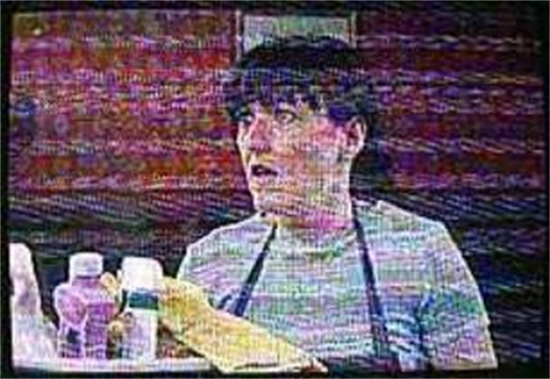
TETRA is used by emergency services, government agencies, public safety networks, rail transport staff, transport services and the military. Although digital TV signals are resilient, strong nearby TETRA transmissions can still cause reception problems.
A TETRA mast within several kilometres can cause interference, especially if the signal is strong or focused towards the receiving location.
What You Can Do
- Use an aerial with good out-of-band rejection performance.
- Reposition the aerial if height or azimuth can be adjusted.
- Install a passive TETRA filter before any amplifier.
- Use an amplifier with built-in TETRA filtering where suitable.
LTE, 4G and 5G Interference
Mobile broadband services, including 4G and 5G LTE, can cause interference where strong mobile signals are close to the receiving installation. This can result in the same mosaic or blocking effect often seen with other digital reception problems.
During spectrum clearance, parts of the former DTT band were reallocated for mobile broadband. In some installations, retuning and suitable filtering may be required.
DIY Improvements
In areas with weak signals, the use of double-screened coaxial cable may help reduce signal loss and improve reception reliability.
- Popping or cracking on sound can be caused by lack of signal. A higher-gain aerial may help.
- Loft-mounted aerials usually receive less signal than externally mounted aerials.
- Trees can reduce signal levels, especially when leaves return in spring.
- Position aerials to look around or over nearby obstructions where possible.
- If more than one aerial is fitted to a mast, keep them as far apart as possible.
- Use an aerial designed for the correct group and transmitter polarity in your area.
UK UHF TV Channel Groups
| Band | Pre LTE 800 Channels | Pre LTE 800 Frequency | Post LTE 800 Channels | Post LTE 800 Frequency | Colour Code |
|---|---|---|---|---|---|
| A | 21-37 | 470-606 MHz | 21-37 | 470-606 MHz | Red |
| B | 35-53 | 582-734 MHz | 35-53 | 582-734 MHz | Yellow |
| C/D | 48-68 | 686-854 MHz | 48-60 | 686-790 MHz | Green |
| E | 35-68 | 582-854 MHz | 35-60 | 582-790 MHz | Brown |
| K | 21-48 | 470-694 MHz | 21-48 | 470-694 MHz | Grey |
| W/B | 21-68 | 470-854 MHz | - | - | Black |
| T | - | - | 21-60 | 470-790 MHz | White |
How to Order Blake UK Products
- If you are an end user, contact your local professional installer or use the buy button on the relevant product page.
- If you are a trade installer and need details of your local wholesaler, please contact us.
Still Having Reception Problems?
In most cases, reception issues can be improved with small adjustments to the installation. However, if you have checked the aerial, cable, connections, amplifier and receiver, it may be worth contacting an experienced engineer.
A CAI registered engineer may be able to identify common local issues, confirm transmitter choice and check for interference sources.
It is also worth keeping notes of the times and dates when interference occurs. Patterns can help identify sources such as heating pumps, lighting circuits, switch-mode power supplies, DECT telephones, CB radio, LED lighting or other electrical equipment.
Key components for a reliable digital TV installation are a good-quality aerial, suitable double-screened coaxial cable, correct connectors, screened outlet plates where required and properly made terminations.